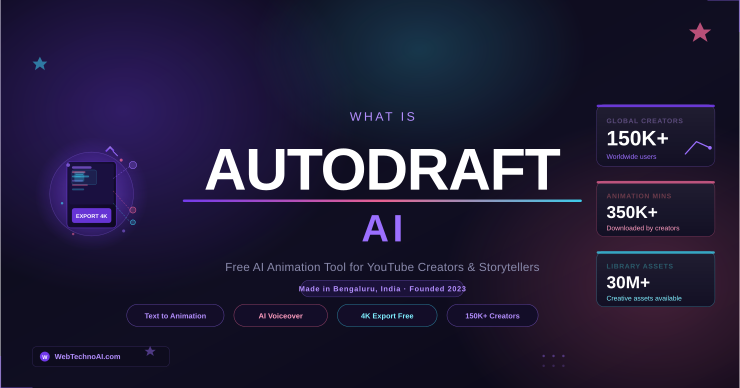
⚡ Quick Answer: AutoDraft AI is a free, browser-based AI animation platform founded in 2023 and headquartered in Bengaluru, India. It lets anyone with zero drawing skills, create professional 2D animations, cartoon characters, AI voiceovers, and YouTube-ready videos using simple text prompts. It is trusted by 150,000+ creators worldwide and offers 90% of its features completely free, with paid plans starting at $10/month.
If you have been seeing ‘AutoDraft AI’ trending on search engines and social media recently, you are not alone. This Indian-built AI animation tool has been quietly taking over the YouTube creator space and for good reason.
AutoDraft AI has flipped the script entirely. Any creator, teacher, or storyteller can now produce 4K animated videos in hours at a fraction of the cost.
In this complete guide, we cover everything you need to know: what AutoDraft AI is, how it works, every key feature, pricing plans, who it is best for, how it compares to competitors, and step-by-step instructions to get started today.
What is AutoDraft AI?
AutoDraft AI is a cloud-based generative AI platform designed specifically for animation, digital art, and visual storytelling. Built by a startup called Autodraft (founded in 2023 and headquartered in Bengaluru, India), the tool transforms simple text prompts, sketches, or storyboard references into fully animated 2D characters, scenes, and videos.
The platform was created with one goal in mind: to make professional-quality animation accessible to absolutely everyone — regardless of technical skill, budget, or prior experience with animation software.
Unlike general-purpose AI image tools, AutoDraft AI is purpose-built for the full animation production pipeline — from character creation and background design all the way through to voiceovers, background music, lip-syncing, and final 4K video export.
💡 The Name Explained: The word ‘AutoDraft’ reflects the platform’s core promise — automatically drafting your creative ideas into finished visual content. You bring the idea; AutoDraft brings it to life.
It is particularly popular among YouTube content creators who produce animated story channels, kids’ nursery rhymes, horror story narrations, and educational explainer videos — all niches where animation consistently drives longer watch times and stronger ad revenue.
Who Created AutoDraft AI and When?
AutoDraft was founded in 2023 by Jay Parmar and Sachin Patil, with Sachin Patil serving as the current CEO. The company is based in Bengaluru (Bangalore), India — one of Asia’s fastest-growing AI and tech startup hubs.
Since launching, the platform has grown to serve over 150,000 creators worldwide, with more than 350,000 minutes of animation downloaded from the platform. The tool competes directly with global names like Vyond, Animaker, and Adobe Animate — but at a significantly lower price point and with a much gentler learning curve.
📊 By the Numbers: 150,000+ creators trust AutoDraft AI · 350,000+ minutes of animation downloaded · 30,000,000+ assets in the library · 100+ supported animation style templates · Available on Web, Android & iOS
What Are the Key Features of AutoDraft AI?
AutoDraft AI is not a single-feature tool. It is a complete animation production suite. Here is a breakdown of every major capability:
1. Text to Image
Type a description in plain language and AutoDraft instantly generates a high-quality background or scene image in your chosen art style. This is the starting point for most animations on the platform.
2. Storyboard to Image
Upload your hand-drawn or digitally created storyboard panels and AutoDraft converts each panel into a polished, consistent image. This is ideal for creators who plan scenes visually before animating.
3. Sketch to Image
Even your roughest pencil sketch can be transformed into finished digital artwork. The AI interprets your drawing and produces a clean, detailed version that maintains your original composition and intent.
4. AI Character Generator
Generate fully animated 2D characters from text descriptions. The standout capability here is Custom Model Training — AutoDraft lets you train the AI on your specific character so it looks identical across every single scene and episode. This level of character consistency is something tools like Midjourney fundamentally cannot offer for video content.
🌟 Killer Feature: Custom Model Training is what separates AutoDraft AI from generic AI image tools. Once your character is trained, it maintains a consistent look — same face, same outfit, same style — across hundreds of scenes automatically.
5. AI Voiceover Generator
Generate lifelike voice narration in multiple languages and voice presets directly inside the platform. No need for external voice actors or recording equipment. The platform also supports AI Voice Cloning — meaning you can replicate a specific voice style for consistent branding across all your videos.
6. AI Background Music (BGM)
AutoDraft generates copyright-free background music tailored to the mood and style of your animation. All music generated is available for commercial use, meaning no YouTube copyright strikes.
7. AI Sound Effects
Add realistic sound effects to your animation scenes — footsteps, weather, crowd ambience, and more — all AI-generated and royalty-free.
8. Image to Video
Convert your static AI-generated images into dynamic animated video sequences. This feature brings your scenes to life with smooth motion transitions.
9. Animation Controls
Fine-tune your characters with over 1,000 action controls, 100+ facial expressions, and frame-accurate lip-syncing that matches your AI voiceover. This level of control is what gives AutoDraft AI outputs a professional finish that simpler tools cannot match.
10. AI Thumbnail Maker
Create eye-catching YouTube thumbnails directly within the platform using AI. Paid plans include this feature as part of the full production suite.
11. AI Editing Tools
Built-in video editing tools — including an AI eraser, background remover, and creative upscaler — let you polish your final output without switching to external software like Premiere Pro or CapCut.
12. Multiplatform Support
AutoDraft AI runs entirely in the browser — no software download required. It also has fully functional mobile apps for both Android and iOS, allowing creators to work from anywhere.
AutoDraft AI Features at a Glance
| Feature | Available On | Free Plan |
| Text to Image | Web + Mobile | ✅ Yes |
| Storyboard to Image | Web + Mobile | ✅ Yes |
| Sketch to Image | Web + Mobile | ✅ Yes |
| AI Character Generator | Web + Mobile | ✅ Yes |
| Custom Model Training | Web only | ❌ Paid only |
| AI Voiceover (multi-language) | Web + Mobile | ❌ Paid only |
| AI Voice Cloning | Web + Mobile | ❌ Paid only |
| Copyright-Free BGM | Web + Mobile | ❌ Paid only |
| AI Sound Effects | Web + Mobile | ❌ Paid only |
| Image to Video | Web + Mobile | ✅ Limited |
| 4K Export (no watermark) | Web + Mobile | ❌ Paid only |
| AI Thumbnail Maker | Web + Mobile | ❌ Paid only |
| AI Editing Tools | Web + Mobile | ✅ Basic |
| 1,000+ Animation Controls | Web + Mobile | ✅ Yes |
| 100+ Style Templates | Web + Mobile | ✅ Yes |
AutoDraft AI Pricing: How Much Does It Cost?
One of AutoDraft AI’s biggest selling points is its generous free plan. Here is a full breakdown of every pricing tier:
| Plan | Price | Credits/Month | Best For |
| Free (Starter) | $0 | 20 credits | Trying the platform, small personal projects |
| Base Plan | $10/month ($8/mo annually) | 1,000 credits | Beginner YouTubers & individual creators |
| Pro Plan | $35/month ($28/mo annually) | 4,000 credits | Active creators publishing weekly content |
| Business Plan | Custom pricing | Custom credits | Animation studios & teams needing custom training |
💰 Value Check: A single 2-minute animation typically uses 8–15 credits. The Base plan’s 1,000 monthly credits comfortably covers weekly content production. Compare that to Vyond at $49/month minimum — AutoDraft AI delivers comparable results at roughly one-fifth the cost.
Both the Base and Pro paid plans include the full premium feature set: 4K unlimited downloads, AI Voiceover, AI Voice Cloning, AI Sound Effects, Copyright-Free BGM Library, AI Thumbnail Maker, AI Video Generator, AI Editing Tools, and YouTube video feedback.
The key difference between Base and Pro is simply the number of credits — 1,000 vs 4,000 per month. Choose Base if you publish 2–4 videos per month. Choose Pro if you are running a high-frequency animation channel.
How to Get Started with AutoDraft AI: Step-by-Step
Getting your first animation off the ground with AutoDraft AI takes less than an hour, even if you have never created an animation before. Here is the exact workflow:
- Go to autodraft.in and sign up for free using your Google account or email — no credit card required.
- Choose a project template from the library or start a blank project. For beginners, starting with a template in your target style (anime, cartoon, realistic) is recommended.
- Generate your background using the Text-to-Image tool. Example prompt: ‘Modern classroom with a green chalkboard, anime style, bright warm lighting.’
- Create your main character using the AI Character Generator. Describe your protagonist’s appearance in detail — hair, clothing, skin tone, style. If you plan a series, use the Train Model feature to lock in character consistency across all future scenes.
- Write your script and add dialogue. Select your preferred AI voice from the voiceover library — available in multiple languages including English, Hindi, and more.
- Apply animation controls to bring your character to life. Use the lip-sync tool to match your character’s mouth movements to the voiceover automatically.
- Add background music from the copyright-free BGM library and layer in sound effects.
- Use the built-in editing tools to trim scenes, apply transitions, and polish the final video.
- Export in 4K resolution as an MP4 file (paid plans) and upload directly to YouTube, Instagram Reels, or any platform of your choice.
⏱️ Time Estimate: Most creators produce a complete 2–3 minute animation in 45–90 minutes on their first try. With practice and saved character models, this drops to 20–30 minutes per video.
Who Should Use AutoDraft AI?
AutoDraft AI is built for a wide range of users, but it shines brightest for specific creator profiles:
- YouTube Creators building animated story channels — horror stories, kids’ rhymes, fairy tales, motivational content, and educational explainers all perform exceptionally well with animation.
- Educators and teachers who want to visualize concepts, create engaging lesson content, or produce animated explainer videos for students without needing a video production team.
- Small business owners and marketers who need animated promotional content, product explainers, or social media videos but cannot afford professional animation studios.
- Indie storytellers and comic creators who want to bring their characters and narratives to life in animated format — especially for webtoons, Instagram series, or YouTube shorts.
- Freelancers offering video content services who want to scale output and reduce per-video production time significantly.
- Beginners with no animation or design experience who want professional results without months of learning traditional animation software.
AutoDraft AI may not be the best fit for corporate animation studios needing high-end motion graphics, or professional filmmakers requiring photo-realistic CGI. In those cases, tools like Adobe After Effects or Blender remain more appropriate — you can also explore alternatives with tools covered in our guide to AI video tools like Viggle AI.
AutoDraft AI vs Competitors: How Does It Compare?
Flux AI vs Midjourney is also a useful read.
| Tool | Price (Start) | Animation Focus | Free Plan | Mobile App | Character Consistency |
| AutoDraft AI | $0 / $10 mo | ✅ Full 2D animation suite | ✅ 90% features | ✅ Android + iOS | ✅ Custom model training |
| Vyond | $49/month | ✅ Professional animation | ❌ No | ❌ No | ✅ Good |
| Animaker | $20/month | ✅ Template-based | ✅ Limited | ❌ No | ⚠️ Limited |
| Midjourney | $10/month | ❌ Images only | ❌ No | ❌ No | ❌ No |
| Adobe Animate | $54.99/month | ✅ Professional | ❌ No | ❌ No | ✅ Full control |
| Canva (Animated) | $15/month | ⚠️ Basic only | ✅ Yes | ✅ Yes | ❌ No |
The clearest takeaway from this comparison: AutoDraft AI offers the best combination of price, feature depth, and accessibility for independent creators. Vyond is more polished for corporate use but costs 5x more. Midjourney produces stunning images but cannot animate. Animaker is comparable but lacks the custom model training that gives AutoDraft AI its consistency edge.
AutoDraft AI Pros and Cons
✅ What We Like
- 90% of features genuinely free — no credit card required to start
- Custom Model Training ensures character consistency across entire series — a rare feature at this price point
- Full mobile app (Android + iOS) — rare among animation tools and a big advantage for mobile-first creators
- Copyright-free BGM and sound effects included in paid plans — no YouTube strikes
- Multi-language AI voiceover — particularly strong for Indian, Southeast Asian, and global multilingual content creators
- Complete end-to-end production suite — characters, backgrounds, voice, music, editing, thumbnail all in one platform
- You own 100% commercial rights to everything you create
⚠️ What Could Be Better
- Free tier is limited to 20 credits/month — runs out very quickly for regular content production
- Generation speed can slow down during peak hours on the free plan
- Smaller template library compared to Vyond for corporate-style animation
- Customer support is email-only — no live chat available
- Beginners may face a learning curve mastering all animation controls due to the platform’s breadth of features
5 Pro Tips to Get the Best Results from AutoDraft AI
- Train your character model from day one. If you plan to create more than 3 videos with the same character, invest the time upfront to train a custom model. This single step eliminates hours of manual adjustment later and keeps your series visually coherent.
- Use specific, detailed prompts for backgrounds. Instead of ‘a forest,’ write ‘dense magical forest at night with glowing mushrooms, anime style, soft blue moonlight filtering through tall trees.’ The more specific your prompt, the more on-brand your output.
- Match your art style to your niche. Horror story channels perform best with dark, semi-realistic styles. Kids’ content does best with bright, cartoonish styles. Educational content performs well with clean, minimalist flat design. AutoDraft’s 100+ style templates make this easy.
- Export at 4K from the start. Even if your current audience is small, 4K content is future-proofed for YouTube Premium, Smart TVs, and algorithm favorability. Always export in the highest quality your plan allows.
Frequently Asked Questions (FAQs) About AutoDraft AI
AutoDraft AI is used to create 2D animated videos, cartoon characters, animated backgrounds, and visual stories using simple text prompts. It is primarily used by YouTube creators, educators, marketers, and storytellers who want to produce professional animation without traditional animation skills or expensive software.
AutoDraft AI offers a free Starter plan with 20 monthly credits and access to most core features. However, 20 credits runs out quickly — a single 2-minute animation can use 8–15 credits. For regular content creation, the Base plan at $10/month provides 1,000 credits, which is sufficient for weekly video publishing.
No. AutoDraft AI is specifically designed for people with zero animation or drawing experience. You control everything through text prompts and simple interface controls. The AI handles all the technical animation work automatically.
Yes. Under AutoDraft AI’s Terms of Use, you own 100% of the commercial rights to all content you create on the platform. You can upload to YouTube, monetize through AdSense, and use the content for any commercial purpose. All background music generated is also copyright-free, so you will not receive Content ID strikes.
Midjourney and DALL·E are image generation tools — they create single static images. AutoDraft AI is a complete animation studio. It generates characters, animates them with motion and lip-sync, adds voiceover and music, and exports finished video files ready for YouTube. The two categories of tools serve very different purposes.
Yes. AutoDraft AI has fully functional apps for both Android and iOS, offering nearly the same feature set as the web version. This makes it one of the few professional animation tools with strong mobile support.
The main alternatives are Vyond (more polished, but $49/month), Animaker (similar price, fewer unique features), Adobe Animate (professional-grade, steep learning curve), and Canva’s animation features (simpler, good for social media). For static AI image generation rather than animation, tools like Midjourney and Flux AI are popular choices.
Yes. AutoDraft AI is a legitimate, funded platform founded in 2023 and based in Bengaluru, India. It processes payments securely via UPI, debit, and credit card. As with any cloud-based creative platform, avoid uploading sensitive personal or proprietary business data to the platform’s servers.
Final Verdict: Is AutoDraft AI Worth Using in 2026?
If you are a content creator especially one building an animated YouTube channel, AutoDraft AI is one of the best-value tools available right now. The combination of a genuinely useful free tier, custom character model training, AI voiceover in multiple languages, copyright-free music, and a functioning mobile app at $10–$35/month is simply hard to beat.
It is not perfect. The free plan’s 20 credits are limiting, customer support could be stronger, and corporate-style animation output still lags behind Vyond. But for independent creators and storytellers working on a budget, AutoDraft AI punches well above its price point.
The bottom line: start with the free plan, test character consistency for your specific content style, and upgrade to the Base plan if it fits your workflow. As AI tools continue reshaping content creation in 2026 from Bean Bun AI to animation platforms like AutoDraft, the barrier to professional creative output keeps getting lower.
🚀 Ready to Try It? Visit autodraft.in, sign up free with no credit card required and create your first animated scene in under an hour. Your YouTube animation channel starts today.